PicApp Plugin for Movable Type
 The PicApp Plugin for Movable Type puts one of the broadest and highest quality image repositories right at your finger tips. With this plugin users can quickly and easily enhance their blog posts with professional photography and imagery -- all of which has been pre-approved and licensed appropriately for you to do so. You never need to worry again: "is it ok to use this image on my blog?" The answer is, "YES!"
Once the plugin is installed, a PicApp button is added to the entry editor. Clicking it opens up a dialog which provides a window into the PicApp image database. Select the image you want, the size you want and then insert it into a post. It really is that easy.
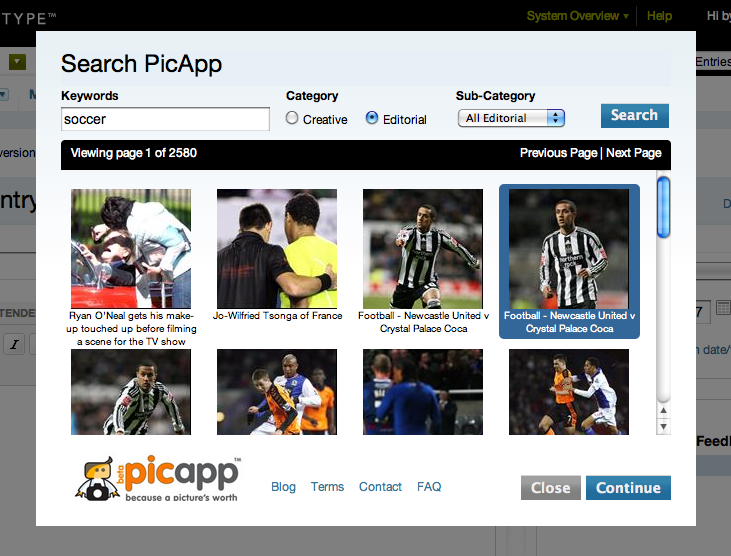
What's more is that images inserted into your post via this plugin will automatically be added to your Movable Type Asset Management system. This allows you to track which photos from PicApp are being used where and easily re-insert photos previously inserted.
Download
Prerequisites
Installation
Once the prerequisites are taken care of, the PicApp plugin is installed the same as every other Movable Type plugin.
Setup & Usage
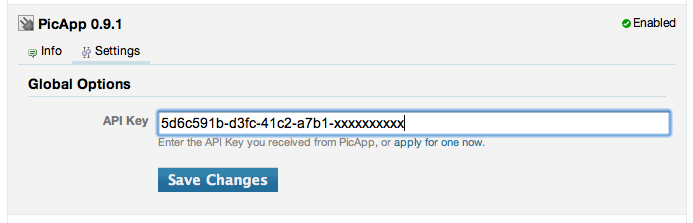
To get started, login to Movable Type and navigate to "Plugins" under the "Tools" menu. Find the PicApp plugin and click "Settings." Enter your API key into the space provided and click Save.
A new PicApp button will be added to everyone's editor toolbar. Clicking it will pop-up the dialog through which you will search, find, select and insert photos into your blog posts.
Support
Disclaimers
PicApp™ and its logo are trademarks of PicApp Technologies, Ltd and are used with their permission.
Inclusion of the images obtained by usage of this plugin on any website are subject to PicApp's terms and conditions.
Leave a comment